
Mẫu CV PowerPoint: Tạo Ấn Tượng Với Hồ Sơ Xin Việc
PowerPoint CV template: Create an impression with a resume
Việc tạo ra một CV ấn tượng là yếu tố quan trọng giúp bạn nổi bật trong đám đông ứng viên. Trong số nhiều công cụ thiết kế CV hiện nay, PowerPoint là một lựa chọn tuyệt vời. Bạn có thể tạo ra một CV độc đáo với các mẫu PowerPoint dễ sử dụng và có tính thẩm mỹ cao. Hãy cùng khám phá cách sử dụng mẫu CV PowerPoint để tạo ra một hồ sơ xin việc ấn tượng.
Creating an impressive CV is an important factor to help you stand out in the crowd of candidates. Among many CV design tools today, PowerPoint is a great choice. You can create a unique CV with easy -to -use and aesthetic powerpoint models. Let’s explore how to use CV PowerPoint to create an impressive job application.
1. Mẫu CV PowerPoint Là Gì?
1. What is the PowerPoint CV?
1.1 Giới Thiệu Về PowerPoint
1.1 Introduction to PowerPoint
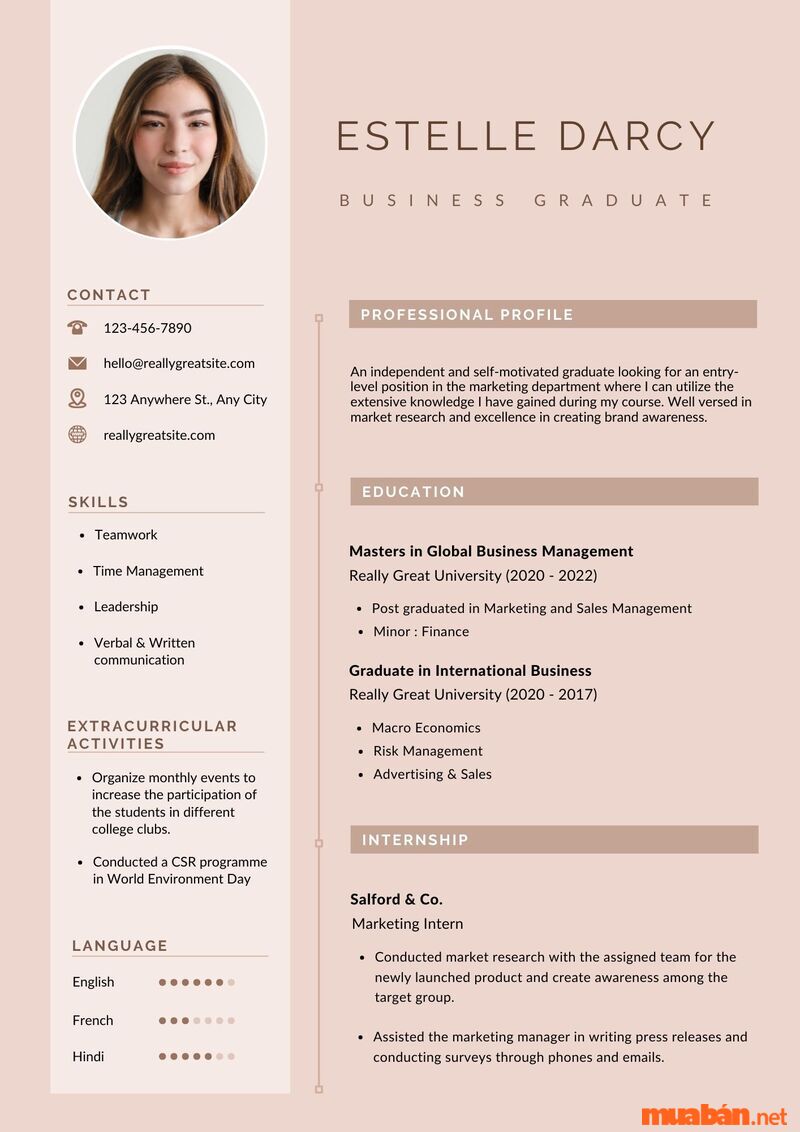
PowerPoint là một phần mềm trình chiếu phổ biến của Microsoft, nhưng ít ai biết rằng nó cũng là một công cụ tuyệt vời để tạo ra CV. Với khả năng thiết kế slide và đồ họa linh hoạt, PowerPoint cho phép bạn sáng tạo ra một bản CV không chỉ đẹp mắt mà còn dễ dàng chỉnh sửa theo ý muốn. Mẫu CV PowerPoint cung cấp các bố cục sẵn có, giúp bạn tiết kiệm thời gian trong việc thiết kế.
PowerPoint is a popular Microsoft projection software, but few know that it is also a great tool to create a CV. With the ability to design slides and flexible graphics, PowerPoint allows you to create a CV not only beautiful but also easy to edit as you like. PowerPoint CV template provides available layouts, saving you time design.
1.2 Tại Sao Nên Sử Dụng Mẫu CV PowerPoint?
1.2 Why should I use the PowerPoint CV?
Một trong những lý do chính để chọn mẫu CV PowerPoint là khả năng tùy chỉnh cao. Bạn có thể thay đổi màu sắc, phông chữ, hình ảnh, và bố cục theo sở thích của mình. Hơn nữa, PowerPoint cho phép bạn thêm các hiệu ứng chuyển động và hình ảnh đẹp mắt, giúp hồ sơ xin việc của bạn trở nên nổi bật và dễ dàng gây ấn tượng với nhà tuyển dụng.
One of the main reasons for choosing a PowerPoint CV is highly customized. You can change colors, fonts, images, and layout according to your preferences. Moreover, PowerPoint allows you to add beautiful motion effects and images, making your resume stand out and easily impress the employer.
2. Lợi Ích Của Mẫu CV PowerPoint
2. Benefits of PowerPoint CV template
2.1 Tính Thẩm Mỹ Cao 2.1 High aesthetics
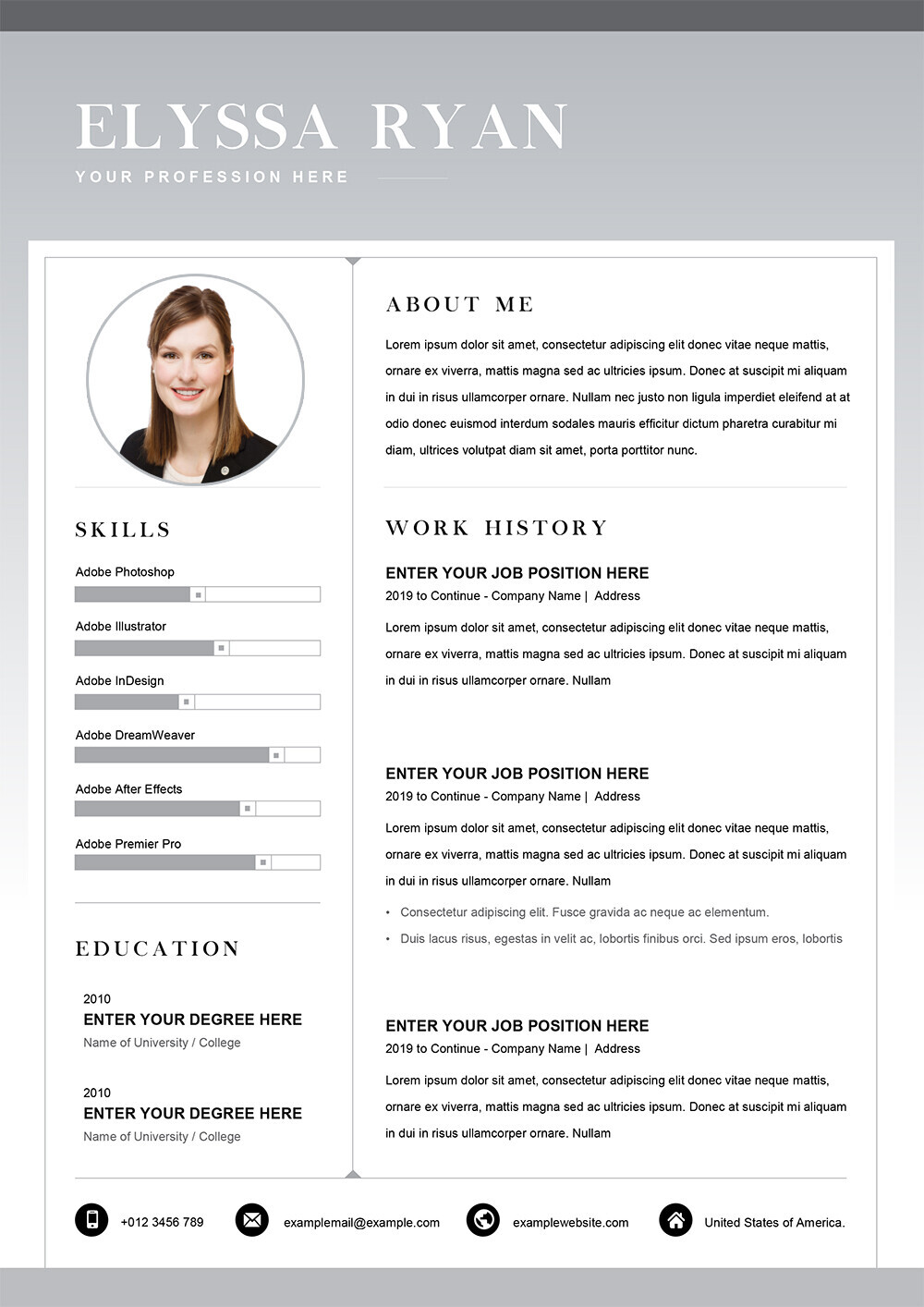
Mẫu CV PowerPoint được thiết kế với nhiều phong cách khác nhau, từ tối giản, hiện đại đến sáng tạo. Các mẫu này không chỉ giúp bạn thể hiện năng lực chuyên môn mà còn làm nổi bật phong cách cá nhân. CV của bạn sẽ trở nên thu hút và ấn tượng hơn khi sử dụng PowerPoint.
PowerPoint CV template is designed with many different styles, from minimalism, modern to creativity. These patterns not only help you show professional competence but also highlight your personal style. Your CV will become more attractive and impressive when using PowerPoint.
2.2 Dễ Sử Dụng, Không Cần Kỹ Năng Thiết Kế
2.2 Easy to use, no design skills
Một ưu điểm lớn của PowerPoint là dễ sử dụng. Ngay cả khi bạn không có kinh nghiệm thiết kế, PowerPoint vẫn cho phép bạn tạo ra một bản CV chuyên nghiệp. Các mẫu CV có sẵn sẽ giúp bạn dễ dàng chọn lựa và chỉnh sửa mà không cần phải biết sử dụng phần mềm thiết kế phức tạp.
A great advantage of PowerPoint is easy to use. Even if you have no design experience, PowerPoint still allows you to create a professional CV. The available CV templates will help you easily choose and edit without having to know how to use complex design software.
2.3 Chỉnh Sửa Và Cập Nhật Dễ Dàng
2.3 Edit and update easily
Với PowerPoint, việc chỉnh sửa và cập nhật thông tin trong CV là cực kỳ đơn giản. Bạn chỉ cần mở file và thay đổi các phần thông tin, sau đó lưu lại. Điều này giúp bạn luôn có một bản CV được cập nhật kịp thời với các kỹ năng, kinh nghiệm mới.
With PowerPoint, editing and updating information in CV is extremely simple. You just need to open the file and change the information, then save. This helps you always have a timely updated CV with new skills and experiences.
.jpg)
3. Cách Chọn Mẫu CV PowerPoint Phù Hợp
3. How to choose the appropriate PowerPoint CV template
3.1 Lựa Chọn Mẫu Theo Ngành Nghề
3.1 Select samples by industry
Việc chọn mẫu CV PowerPoint phù hợp sẽ phụ thuộc vào ngành nghề mà bạn đang ứng tuyển. Ví dụ, nếu bạn ứng tuyển vào ngành sáng tạo như thiết kế đồ họa hay marketing, bạn có thể chọn mẫu CV mang phong cách sáng tạo, độc đáo. Trong khi đó, nếu bạn ứng tuyển vào các ngành như tài chính, kế toán, bạn nên chọn những mẫu CV chuyên nghiệp và tối giản.
Choosing the appropriate PowerPoint CV will depend on the industry you are applying for. For example, if you apply for creative industry such as graphic design or marketing, you can choose a CV model with creative and unique style. Meanwhile, if you apply to industries such as finance and accounting, you should choose professional and minimalist CV templates.
3.2 Mẫu CV Phù Hợp Với Kinh Nghiệm Và Trình Độ
3.2 CV templates suitable for experience and qualifications
Khi chọn mẫu CV, hãy cân nhắc đến kinh nghiệm và trình độ học vấn của bạn. Những người mới ra trường có thể chọn mẫu CV đơn giản, dễ đọc. Còn những người đã có nhiều năm kinh nghiệm, bạn nên chọn những mẫu có thể làm nổi bật các thành tựu và dự án bạn đã thực hiện.
When choosing a CV template, consider your experience and education. New graduates can choose a simple, easy -to -read CV template. And those who have many years of experience, you should choose the samples that can highlight the achievements and the project you have made.
3.3 Sự Linh Hoạt Và Tùy Chỉnh
3.3 Flexibility and customization
Mẫu CV PowerPoint cho phép bạn thay đổi mọi thứ, từ màu sắc, phông chữ, cho đến hình ảnh. Điều này rất quan trọng để bạn có thể tạo ra một CV phù hợp với phong cách cá nhân của mình và làm nổi bật những kỹ năng và kinh nghiệm phù hợp nhất với vị trí ứng tuyển.
The PowerPoint CV allows you to change everything, from colors, fonts, to images. This is very important for you to create a CV that suits your personal style and highlight the skills and experience that best suits your candidate.
4. Các Phần Cần Có Trong Mẫu CV PowerPoint
4. The parts needed in the PowerPoint CV form
4.1 Thông Tin Cá Nhân 4.1 Personal information
Đây là phần cơ bản và không thể thiếu trong bất kỳ mẫu CV nào. Hãy chắc chắn rằng bạn cung cấp đầy đủ thông tin như tên, địa chỉ, số điện thoại, và email. Ngoài ra, bạn cũng có thể bổ sung liên kết đến hồ sơ LinkedIn hoặc website cá nhân nếu có.
This is the basic and indispensable part in any CV template. Make sure you provide enough information such as name, address, phone number, and email. In addition, you can also add links to the LinkedIn profile or personal website if available.
4.2 Mục Tiêu Nghề Nghiệp
4.2 Occupational goals
Mục tiêu nghề nghiệp là phần quan trọng giúp nhà tuyển dụng hiểu được định hướng nghề nghiệp của bạn. Đây cũng là cơ hội để bạn thể hiện khả năng và kế hoạch phát triển bản thân trong tương lai.
Occupational objectives are an important part to help employers understand your career orientation. This is also an opportunity for you to show your ability and plan to develop in the future.
4.3 Kinh Nghiệm Làm Việc
4.3 Work experience
Trong phần này, bạn cần cung cấp thông tin về các công việc đã làm trước đây, bao gồm tên công ty, thời gian làm việc, và các nhiệm vụ chính mà bạn đã thực hiện. Đừng quên làm nổi bật những thành tựu và dự án bạn đã hoàn thành.
In this section, you need to provide information about the previous work, including the company name, working time, and the main tasks you have done. Do not forget to highlight the achievements and the project you have completed.
4.4 Trình Độ Học Vấn 4.4 Education level
Trong phần này, bạn cần liệt kê các bằng cấp và chứng chỉ của mình, từ bằng đại học đến các khóa học chuyên ngành. Điều này giúp nhà tuyển dụng đánh giá được nền tảng học vấn của bạn.
In this section, you need to list your qualifications and certificates, from university degrees to specialized courses. This helps the employer to evaluate your education platform.
4.5 Kỹ Năng 4.5 Skills
Hãy liệt kê các kỹ năng chuyên môn cũng như kỹ năng mềm mà bạn có, ví dụ như quản lý dự án, giao tiếp, làm việc nhóm, hoặc lập trình. Hãy làm nổi bật những kỹ năng quan trọng với công việc bạn ứng tuyển.
List the professional skills as well as the soft skills you have, such as project management, communication, teamwork, or programming. Highlight the important skills for the job you apply.
5. Câu Hỏi Thường Gặp (FAQs)
5. Frequently asked questions (FAQS)
5.1 Có Phải Mất Phí Khi Sử Dụng Mẫu CV PowerPoint Không?
5.1 Does it cost to use PowerPoint CV?
PowerPoint có nhiều mẫu CV miễn phí, nhưng cũng có các mẫu chuyên nghiệp yêu cầu bạn phải trả phí để sử dụng. Tuy nhiên, bạn có thể tìm thấy rất nhiều mẫu miễn phí phù hợp với nhu cầu của mình.
PowerPoint has many free CV templates, but there are also professional models that require you to pay for use. However, you can find a lot of free models that suit your needs.
5.2 Tôi Có Nên Dùng PowerPoint Để Tạo CV Không?
5.2 Should I use PowerPoint to create a CV?
Sử dụng PowerPoint để tạo CV là một lựa chọn tuyệt vời nếu bạn muốn có một CV độc đáo và dễ dàng chỉnh sửa. Tuy nhiên, hãy chắc chắn rằng bạn chọn đúng mẫu và không làm cho CV của bạn quá phức tạp, tránh khiến nhà tuyển dụng cảm thấy khó đọc.
Using PowerPoint to create a CV is a great choice if you want a unique and easy editing CV. However, make sure you choose the right pattern and do not make your CV too complicated, avoiding the employer feels difficult to read.
5.3 PowerPoint Có Tích Hợp Các Mẫu CV Sẵn Có Không?
5.3 Does PowerPoint integrate available CV templates?
PowerPoint có rất nhiều mẫu CV sẵn có mà bạn có thể tải về và chỉnh sửa theo ý muốn. Các mẫu này được thiết kế sẵn với bố cục và phong cách phù hợp với nhiều ngành nghề và đối tượng người dùng khác nhau.
PowerPoint has many available CVs that you can download and edit as you like. These patterns are designed with layout and style suitable for many different industries and users.
6. Kết Luận 6. Conclusion
Sử dụng mẫu CV PowerPoint giúp bạn tạo ra một bản CV không chỉ đẹp mắt mà còn dễ dàng chỉnh sửa và cập nhật. Với tính năng tùy chỉnh cao, PowerPoint mang lại cho bạn nhiều lựa chọn để thiết kế một hồ sơ xin việc ấn tượng. Hãy chắc chắn rằng bạn chọn mẫu CV phù hợp với ngành nghề, kinh nghiệm và phong cách cá nhân của mình, và bạn sẽ tạo được ấn tượng mạnh mẽ với nhà tuyển dụng.
Using the PowerPoint CV form helps you create a CV not only beautiful but also easy to edit and update. With high custom features, PowerPoint gives you many options to design an impressive job application. Make sure you choose the CV template that suits your career, experience and personal style, and you will make a strong impression on employers.